Track expenses privately.
Scan receipts instantly.
The zero-cloud, on-device receipt scanner and expense tracker. No accounts, no subscriptions, zero data profiling. Lightning-fast optical OCR right on your phone.
Everything You Need. Nothing You Don't.
Built from the ground up for speed, offline reliability, and intuitive finance management.
Instant On-Device Optical OCR
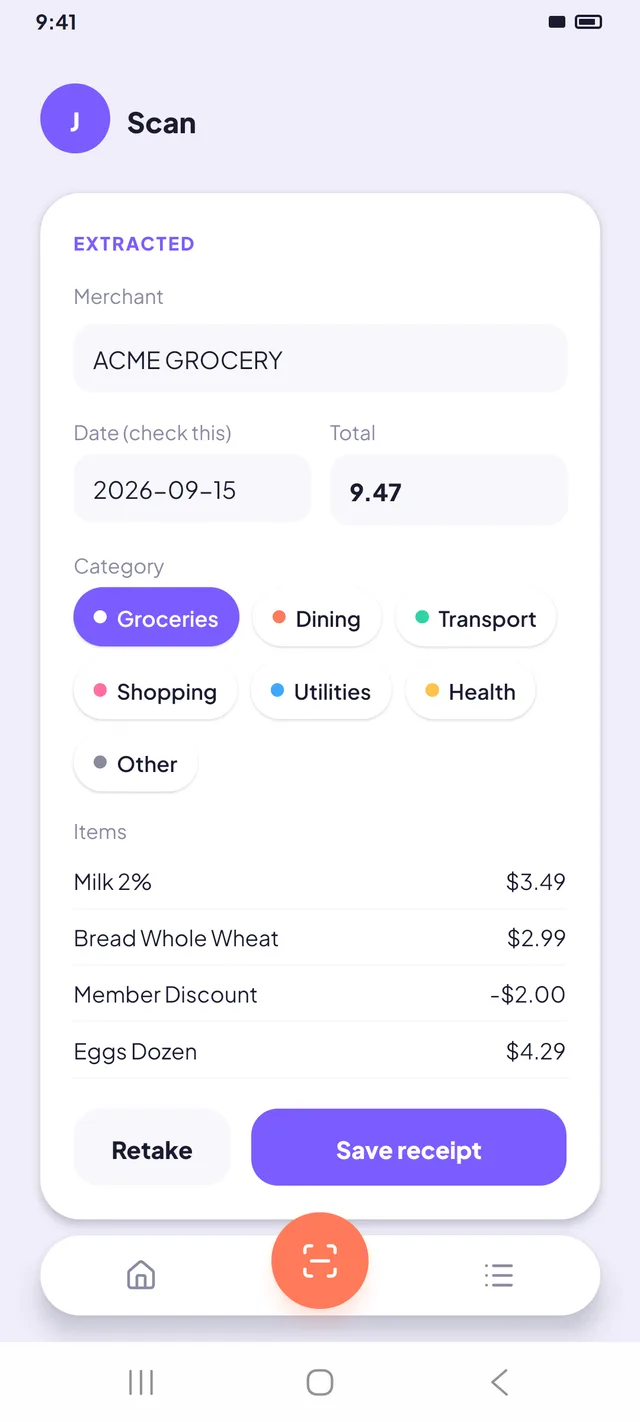
Powered by local ML text recognition that processes receipt images directly on your phone's processor. Extract merchant names, transaction dates, and total expense figures in about a second — even without an active internet connection.
100% Offline & Private
Your financial habits are nobody's business. All receipts, amounts, and budgeting numbers remain stored in your phone's local SQLite database. No tracking, no cloud telemetry, no analytics beacons.
Monthly Budget Tracking
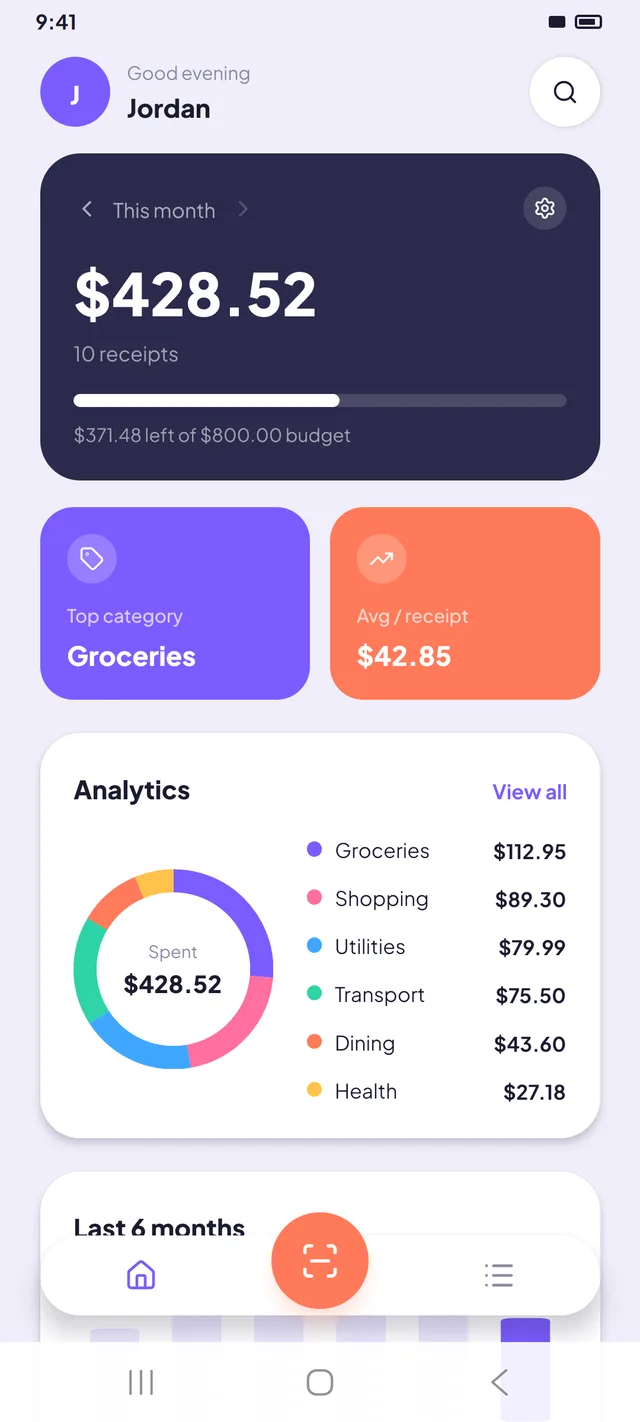
Set a custom monthly spending limit and watch your live pacing progress. Track your average spend per receipt and observe 6-month historical trends with smooth, responsive visual charts.
Fluid Pinch-to-Zoom & Pan
Inspect every detail on the original captured receipt with multi-touch pinch-to-zoom (up to 5×), drag-to-pan, and double-tap reset. Essential for blurry fine print, tax audits, and expense verification.
PDF Expense Reports & CSV
Generate print-ready, itemized PDF expense reports complete with category spending breakdown, or export your full transaction history to CSV and JSON formats anytime.
Biometric App Lock
Protect sensitive financial receipts with your device fingerprint or face unlock on launch and app resume. Zero setup hassle, completely on-device.
Experience Every Screen
Explore the intuitive design and tactile fluidity of Chit.
1. Financial Dashboard
Dynamic greeting, monthly budget pacing bar, top categories, and 6-month spending trends at a glance.
2. Optical Scanner
Live camera viewfinder with flashlight toggle, photo library import, and instant optical capture.
3. Automatic Extraction
ML-extracted merchant, total amount, and date with one-tap category assignment.
4. Receipts Library
Search receipts by merchant name, filter by category chips, and browse itemized history.
5. Document Inspection
Multi-touch pinch-to-zoom & pan receipt viewer, line items breakdown, and one-tap sharing or deletion.
6. Custom Preferences
Biometric app lock, multi-currency switcher, custom budget amounts, and PDF/CSV export.
Why Privacy-First Matters
See how Chit compares against traditional cloud-based expense apps.
| Feature / Criteria | Chit (Offline) | Cloud Expense Trackers |
|---|---|---|
| Data Storage | 100% Local SQLite on Device | Remote Cloud Database Servers |
| Privacy & Tracking | Zero Telemetry, No Analytics | Advertising & User Behavior Trackers |
| Account Setup | No Account or Email Needed | Mandatory Sign-up & Password |
| Works Offline | Yes, 100% Functionality Offline | Fails Without WiFi or Cellular |
| Pricing Model | Free — No Subscription | Recurring Monthly Subscriptions |
| Data Portability | Instant PDF, CSV & JSON Export | Vendor Lock-in or Premium Paywall |
| Biometric App Lock | Built-in (Fingerprint & Face Unlock) | Missing or Premium Paywall |
Frequently Asked Questions
Everything you need to know about Chit's architecture and usage.
Ready for Clean, Private Receipt Scanning?
Chit is now available on Google Play. Everything stays on your phone — no account, no cloud, no subscription.